7 Things to Check Before Producing a Box with Packative
#1 Easy Box-Making with Packative Editor: Make the Most of the Top Panel When customers receive a product, the first thing they see is the top of the box. This is especially true for deliveries by courier. That’s why the top panel of the package should serve as both an icebreaker and a welcoming surface for the consumer. Therefore, pack...
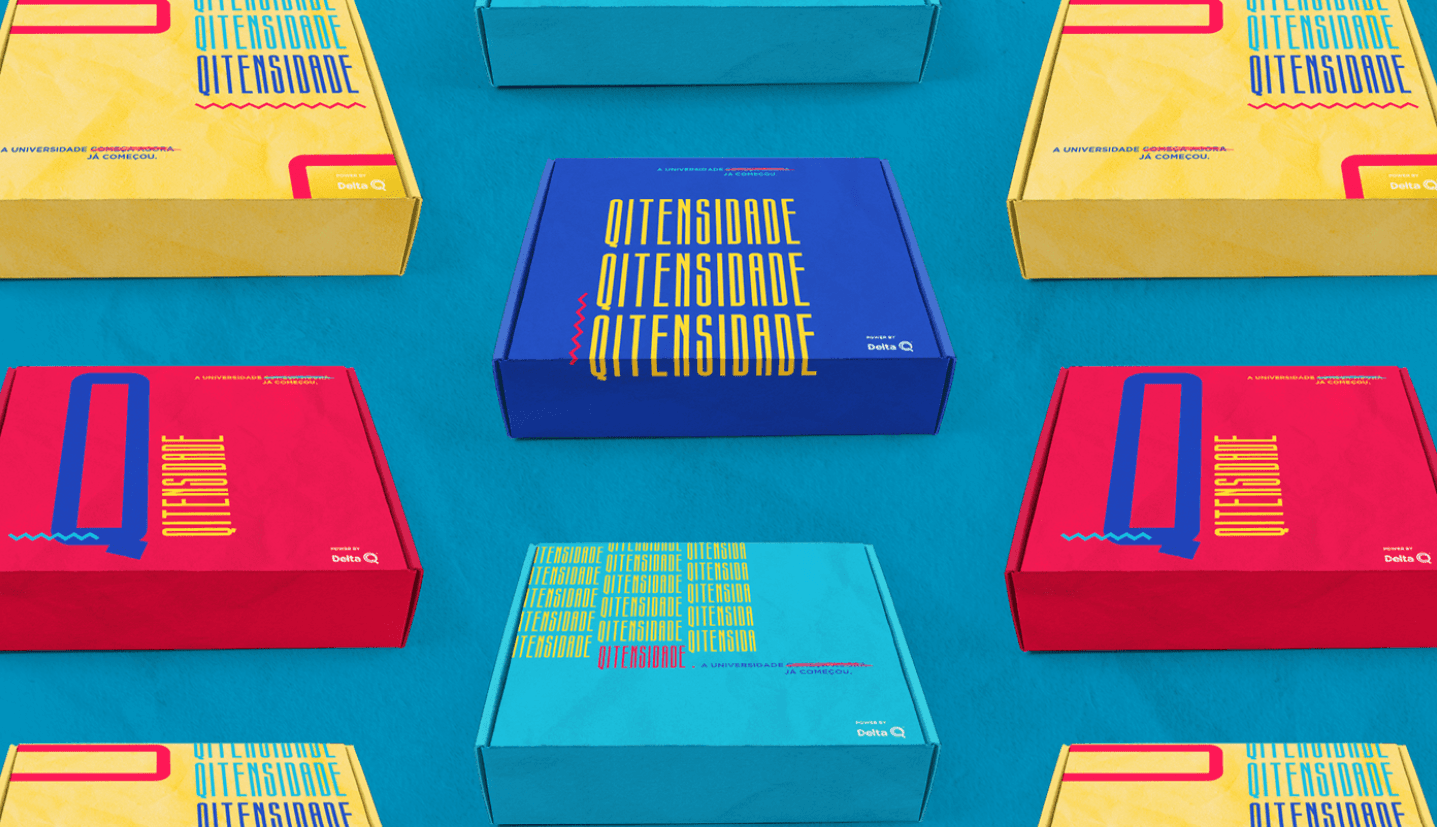
#1 Easy Box-Making with the Packative Editor: Make the Most of the Top Panel
When customers receive a product, the first thing they see is the top of the box. This is especially true for deliveries by courier. That’s why the top panel of the package should serve as both an icebreaker and a welcoming surface for the consumer.
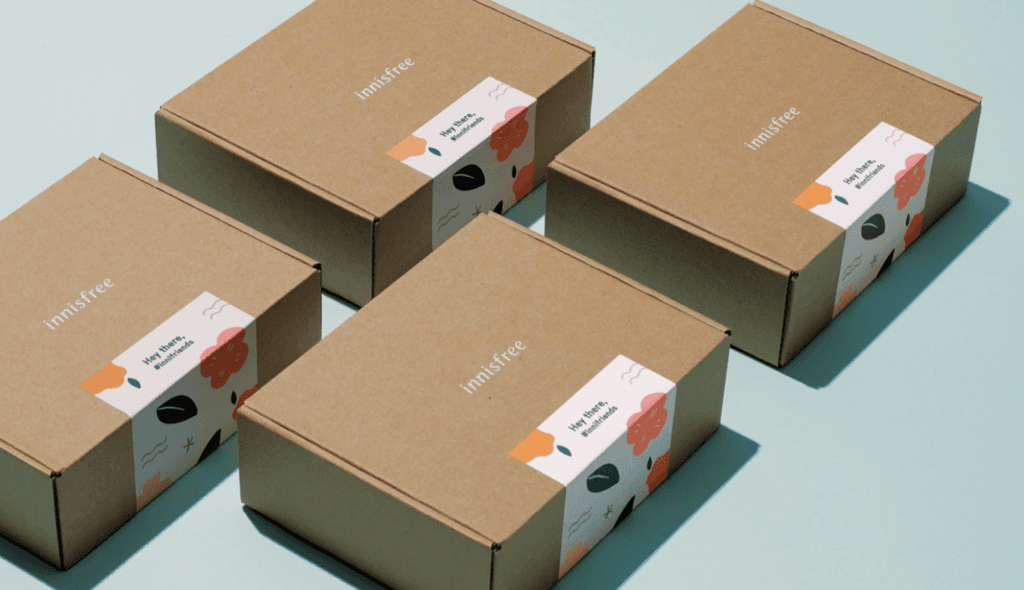 Source: Innisfree
So, when designing a box, a good approach is to place the logo on the very top panel. By placing the logo — the face of the brand — prominently on the top, you can leave a strong impression. Not sure what that would look like? Try designing a product right now in the Packative Editor.
 Source: COCO
Of course, if you can think of a more creative top-panel design, Packative is more than happy to support that too. You can revise your project in the editor as much as you want, so try out different designs and choose the package design that fits best. Try designing it yourself right away!
P.S. If you’re having trouble adding images or logos, please refer to the online editor guide.
#2 The Rules of Box Design: Avoid the Corners
 Why the design should focus on the center of the package: balance, clarity. Source: Liza Burlutskaya
Pushing logos or other important graphic elements toward the corners of the package has two negative effects.
First and foremost, consumers may fail to recognize the brand logo right away. In the worst case, you might push the logo into a corner just to make room for a nice illustration or graphic element on the top of the package — and if that happens, the logo could lose all importance in the overall design.
Also, placing any design element too close to a folding edge is risky from a design standpoint. During printing, machine tolerances can shift the print area by about 5 mm, and if that happens, the graphics may be cut off entirely.
So when laying out the design, it’s a good idea to check carefully which area of the box each element will fall into, right?
#3 Making a Simple Box with the Online Editor: Use the Logo in a Fresh Way
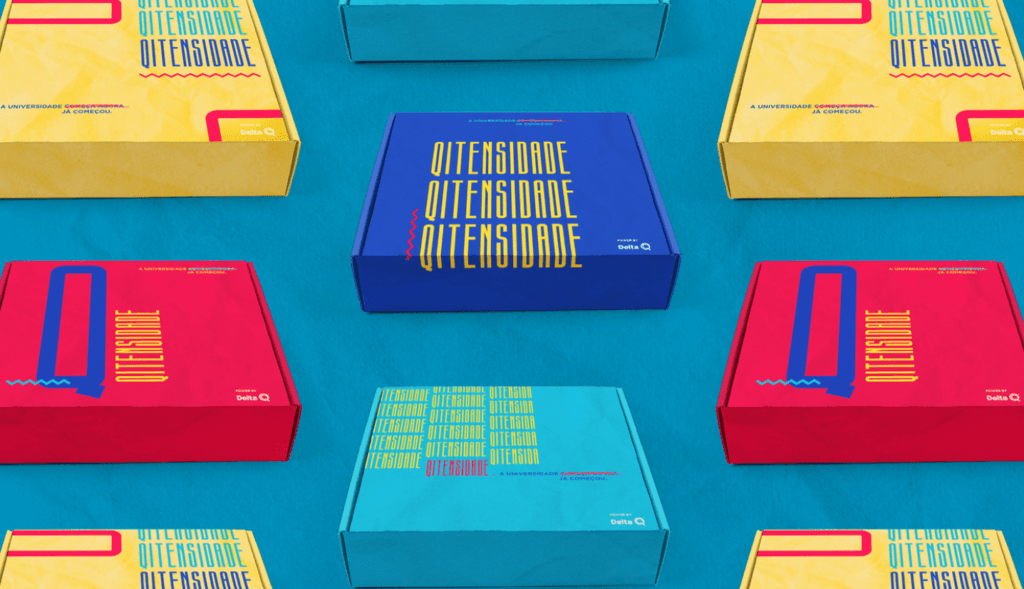
If you already have an image planned for the top of the package in addition to the logo, there are still other ways to use the logo.
Instead of thinking of the logo only as the brand symbol, try using it as a graphic item! Enlarge the logo so it fills an entire side of the box, turn it into a pattern, change its color, or line up multiple logos to create a single band — there are many ways to play with the logo. Even without adding other images, you can still create a rich and varied package.
If you haven’t created a brand logo yet: Logo tool introduction
#4 Easy Box-Making with the Packative Editor: Add Social Media Information to the Package
Every brand living in today’s era wants to succeed on social media. It may sound a bit abstract, but package design can actually help draw attention on social media.
First, include your social media account information in the package design. Even if customers bought your product from your website or another sales channel, if they’re satisfied with the product, it will help bring them back to your brand. Another good method is to promote your brand hashtag. It helps people create their own brand content and generate buzz!
If you want to start an online business:
#5 Easy Box-Making with the Packative Editor: Use Your Brand Color
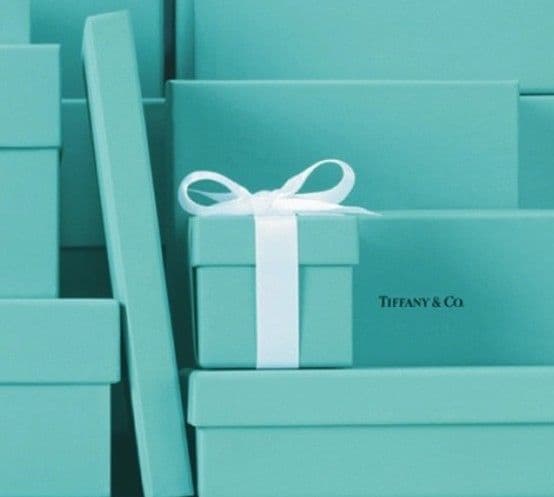 Source: Tiffany
Whether Tiffany uses Tiffany Blue, McDonald’s uses yellow and red, or Etude House uses pink, choose a color that stands out as part of your brand identity and use it. Try designing right now!
The important thing is not to pick a color randomly and just say, “It’s kind of this color,” but to define a specific brand color and use accurate CMYK/Hex/RGB values to keep everything consistent!
If you want to set a brand color: Package Design Color Guide
#6 Easy Box-Making with the Packative Editor: Use Design Assets
If you need additional design elements for the package, try using vector graphics or illustrations.
As the internet has developed, it’s become easier to find graphic images that are free of copyright restrictions.
Examples of websites where you can find graphic assets include:
However, when producing packaging, always make sure there are no copyright issues with the design assets and that the graphics have enough resolution to be added to the package before using them!
#7 Easy Box-Making with the Packative Editor: Encompass the Entire Brand Experience
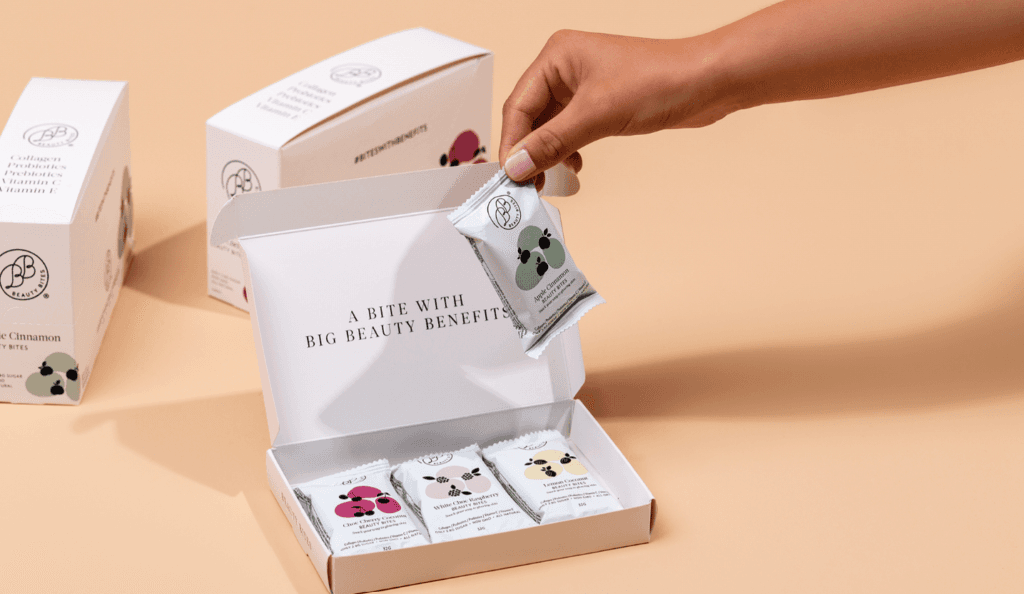 Source: krumbeldfoods
The logo on the top of the box, the image or text on the bottom, and so on are all excellent and important elements. But when designing a box, it’s important to create the overall brand experience. From the top panel that leaves an impression the moment the box is received, to the side panels seen while opening it, and finally the product revealed after opening the box, the layout should make sure the value the brand wants to deliver can be felt throughout the entire unboxing process.
Or, it’s also good to let the box itself offer its own experience. For example, if it’s a toy product for children, you could add freedom by giving children space to draw on the box themselves.
So please design your package while keeping this question in mind: what value do you want your brand to deliver? If that answer is unclear, the experience the box provides may be unclear too.
Learn more about brand storytelling in packaging
Conclusion
Here are seven design tips worth keeping in mind when producing a box.
Follow these simple steps to create an unboxing experience that engages and interacts with consumers, and make full use of the space on the box!