Package Design Color Guide: A to Z for Non-Designers
What are the most important elements in design? Aside from shape, color is usually the first thing that comes to mind. In today’s world of countless media channels, people are becoming more and more focused on visual elements. Designs that stand out clearly are more likely to get attention than ones filled with endless text. Since color is one of the easiest ways to draw people in, understanding it well makes it possible to create stronger brand designs that drive better purchasing results. If you’re preparing custom package design boxes for business success, learning about color and brand identity in advance is not optional — it’s essential.
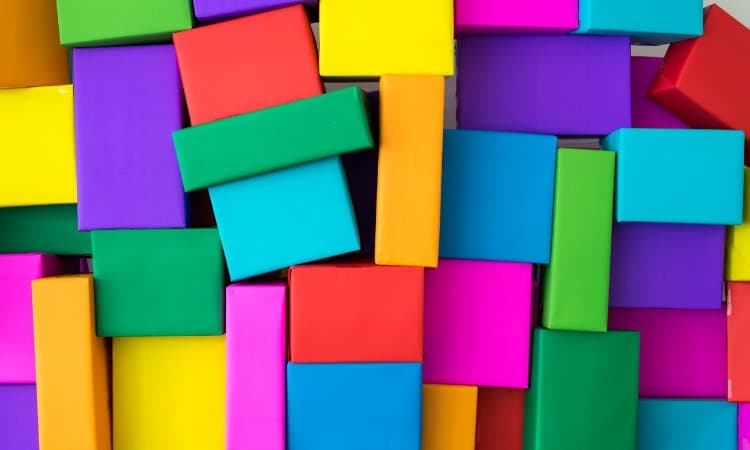
What are the most important elements in design? Aside from shape, color is usually the first thing that comes to mind.
In today’s world of countless media channels, people are becoming more and more focused on visual elements. Designs that stand out clearly are more likely to get attention than ones filled with endless text. Since color is the easiest element to catch people’s eyes, understanding it well makes it possible to create stronger brand designs that drive better purchasing results. If you’re preparing custom package design boxes for business success, learning about color and brand identity in advance is not optional — it’s essential.
If you’re working on package design, also see: The Basic Guide to Product Package Box Design — Even Beginners Can Do It!
Color Wheel Theory
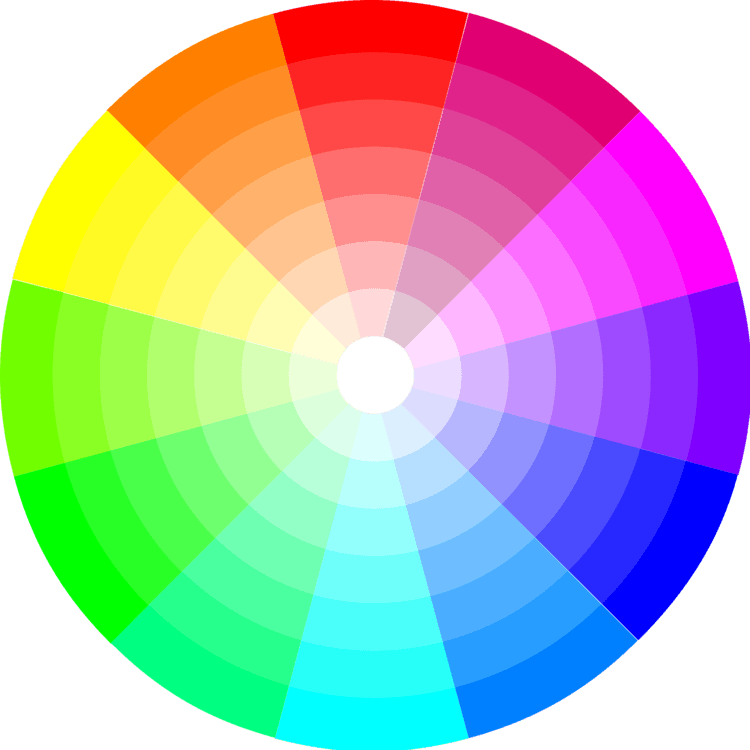
First, let’s look at the color wheel, which is essential for understanding color theory.
Have you already decided whether the color needed for box production and package design is orange or red? To modify colors within a basic framework, you can adjust the brightness and saturation of a base color to create shades that seem similar yet are completely different. Whether you want to make a color more vivid, use white to turn it pastel, or add a touch of black to make it muted and darker is up to you.
What’s the Difference Between CMYK and RGB?
CMYK stands for Cyan, Magenta, Yellow, and Key (black). If you’ve ever changed the ink cartridges in a printer, you’ll probably remember this. CMYK is a subtractive color model — the more colors you add, the closer it gets to black, and as colors are removed, it separates into the four process colors C, M, Y, and K. Think of squeezing different paint colors onto a palette and mixing them together. The more colors you mix, the duller and darker the result becomes.
Because the CMYK concept is similar to mixing actual paint to create colors, it is used for printing. When designing printed materials, you should always set your graphic design tool to CMYK before creating the design so you can predict accurate results. In the case of package design and box production, you need to test colors carefully to anticipate the printed outcome, so please keep that in mind!
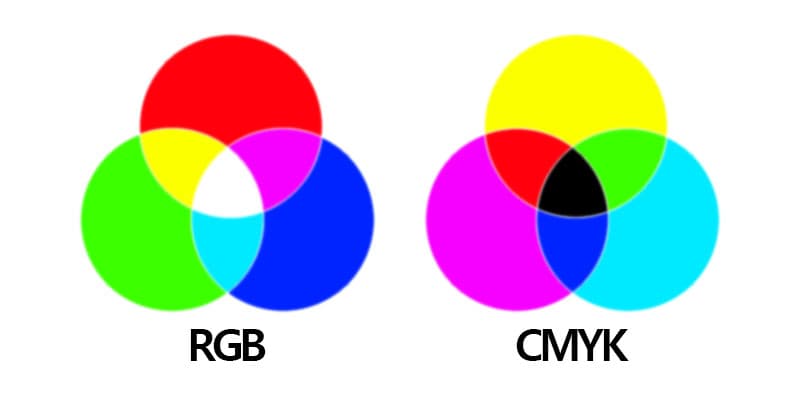
On the other hand, RGB is used for electronic displays, including computers — in other words, light-emitting screens.
RGB, which stands for Red, Green, and Blue, is an additive color model in which colors made of light are added together, and the more colors are mixed, the closer the result becomes to white. The reason it is the opposite of CMYK is that these colors involve light rather than physical ink. Have you ever seen light pass through a prism and split into different colors? The idea that light separated by wavelength can combine again to become white doesn’t need to be overcomplicated.
Now that you understand the basics of color theory, let’s talk about how to use this knowledge to complete brand design and create boxes that leave a lasting impression on customers. If you want to know which colors work well together and which ones create contrast, pay attention.
_If you’re working on packaging design, read this too: Five Essential Rules of Packaging Design (A Must-Read for Packaging Box Production!)_
1. Consider Color Combinations
Color context determines the contrast and harmony between colors. Color combinations built from analogous colors are harmonious and natural, while using complementary colors for strong contrast can create a sense of dynamism and free-flowing change. This is because different color combinations influence the way people perceive color in different ways. When various colors are gathered in one place, they can make a stronger impression, but arranging those colorful elements harmoniously is a more difficult task. Fortunately, logical rules are used to create these color schemes, so by following color rules, you can make use of effective color combinations.
If you’re working on package design, also see: How Does Brand Storytelling in Packaging Influence Consumers’ Purchase Decisions?
2. Use the Color Wheel to Follow Similar Colors
On the color wheel, pairing one main color with two nearby colors creates an analogous color scheme. If you use a color scheme made up of five colors instead of three, you can add two more colors.
When choosing analogous colors, the contrast is not high, so you can generally create a softer, lower-contrast design. By using these color schemes in different ways, you can create color combinations that suit your brand design well.
If you’re working on cosmetic package design, also see: A Guide to Beauty Product Planning and Box Design
3. Find Complementary Contrast on the Color Wheel Too
If you’re a smart reader, you may already understand that complementary colors can also be found easily using the color wheel. Choose colors that sit directly opposite each other. The important thing here is that, for harmony, after choosing one complementary color, you should pick surrounding colors instead of adding another complementary color. If complementary colors are overused, they can become distracting.
4. Choose Colors with Different Brightness and Saturation Within the Same Hue
Changing the brightness and saturation within the same color family can create a harmonious yet varied palette. This works well for cohesive, calm branding or design. If you want a more attention-grabbing design, it’s a good idea to add one complementary color or another standout accent color.
If you’re unsure which color to use, see: Pantone Color of the Year 2022 – Very Peri
If you’re struggling with package production, be sure to read: 5 Tips for Creating Package Design!
Check Out Online Color Wheels That Can Help with These Color Choices
Adobe Color
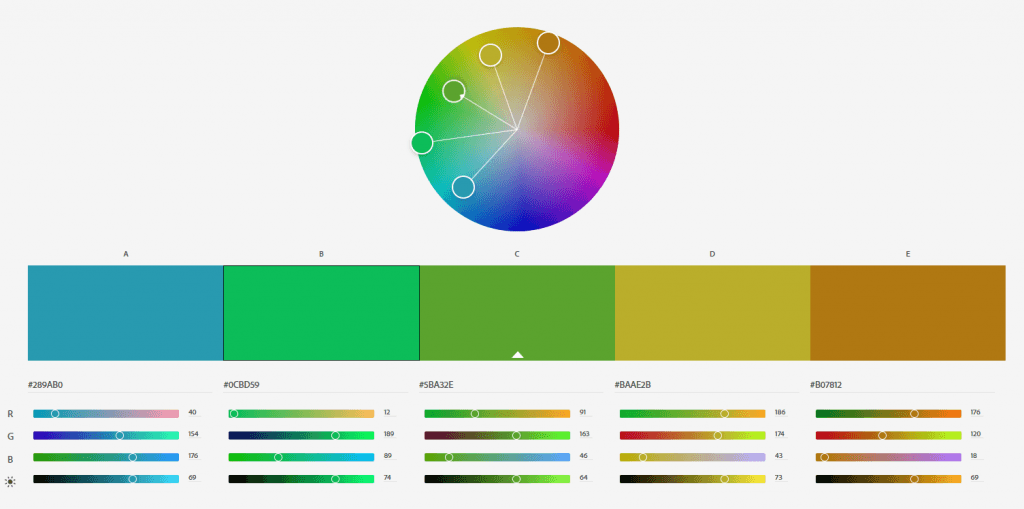
Link: https://color.adobe.com/ko/create
Adobe Color is easy to use as a reference for branding, infographics, and all kinds of design. With this online tool, you can quickly find color schemes based on the color wheel explained above. After selecting the color you want from a scheme, you can copy and paste the HEX or RGB code to apply it.
You can also preview and apply hundreds of ready-made color schemes to see which colors will work well with your design. If you have an Adobe account, you can easily save each theme to your account.
If you’re working on packaging design, also see: 3 Reasons You Should Invest in Product Packaging and Boxes
Paletton
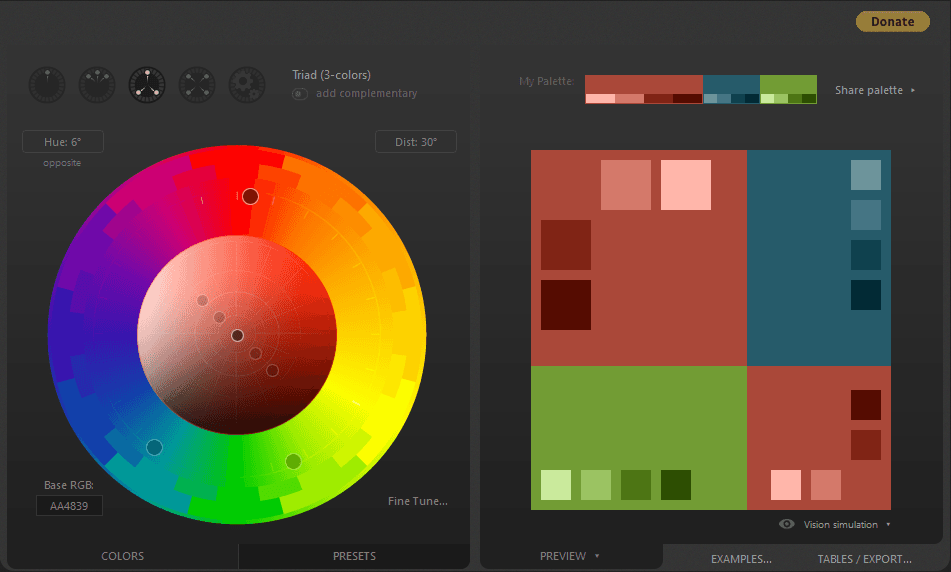
Link: https://paletton.com/#uid=1000u0kllllaFw0g0qFqFg0w0aF
This tool quickly creates a color palette based on the selected color as the main color. If the user wants to find similar color plays or discover bold color groups through complementary contrast, it will suggest a palette that matches their preference. You can also change some colors directly if you want. Because it offers a very wide variety of palettes based on the user’s taste, we recommend trying it if you haven’t settled on a color yet but are broadly thinking about branding.
webfx color generator
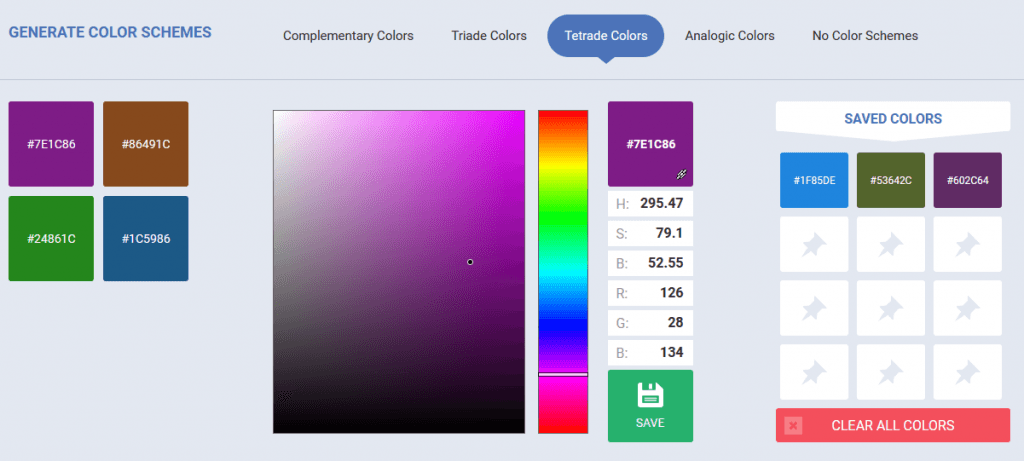
Link: https://www.webfx.com/web-design/color-picker/
This is a useful tool for quickly extracting colors using a color scheme. You can create a palette with similar brightness and saturation, copy the code, and paste it into your design program to apply colors directly to your brand design.