RGB? CMYK? What to Watch Out for in Package Design and Printing (How to Convert Colors in Photoshop and Illustrator)
Hello, this is Packative. Have you ever heard the terms RGB and CMYK when making printed materials? Unless you're a designer, these may sound unfamiliar, but they refer to color modes. Why is it so important to check the color mode, especially for package printing? 👇 🤔 Have you ever seen a design that looked vivid on screen, only to find that the printed result seemed darker and deeper, making you wonder whether something had gone wrong?
Hello, this is Packative.
Have you ever heard the terms RGB and CMYK when producing printed materials? Unless you're a designer, these are likely unfamiliar terms that refer to color modes.
Why is it especially important to check the color mode when printing packaging?👇
🤔Have you ever had the embarrassing experience of clearly seeing a vivid image on screen, only to find that after printing it looks darker and more saturated, making you wonder if it was printed incorrectly? If so, ❗please read on.❗
RGB and CMYK: Meaning and Differences
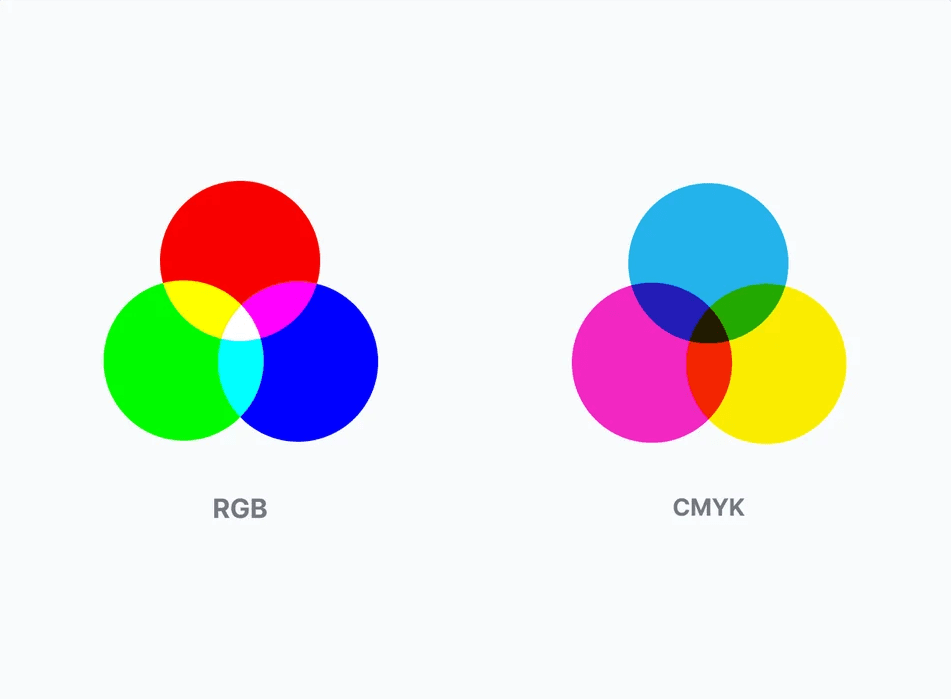
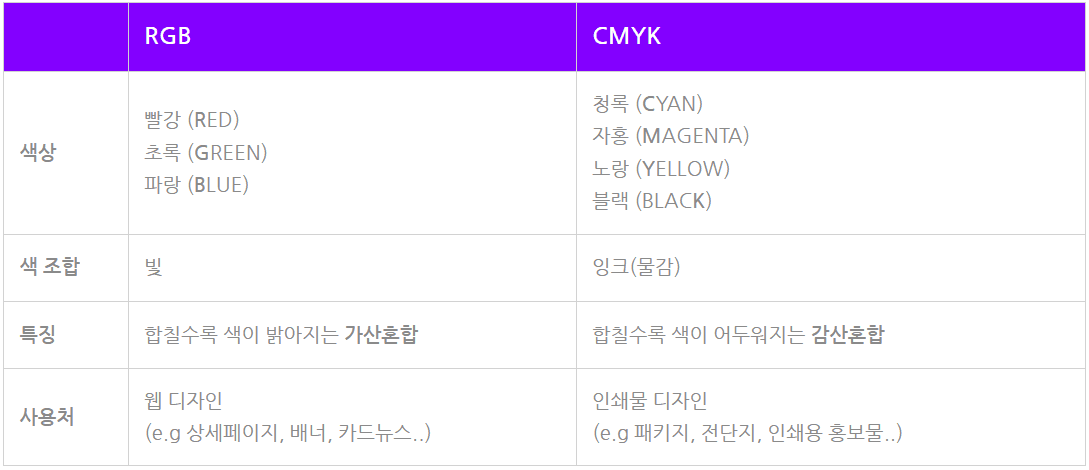
RGB stands for the three primary colors of light: red (RED), green (GREEN), and blue (BLUE). It is the color mode used on devices that rely on light, such as computers and smartphones. Because it uses the principle that colors become brighter as they are combined, it is suitable for <🖥️web design>.
CMYK stands for cyan (CYAN), magenta (MAGENTA), yellow (YELLOW), and black (BLACK), and is the ink-based color mode used for printing. Because it applies the actual behavior of ink, where colors become darker as they are combined, it is suitable for <📄printed design>.
💡Take a quick look at the table below to easily remember the characteristics and differences between RGB and CMYK.
Be sure to check whether 'CMYK' is set for package printing.
If you are working on a design for package printing, make sure the color mode is set to 'CMYK'.
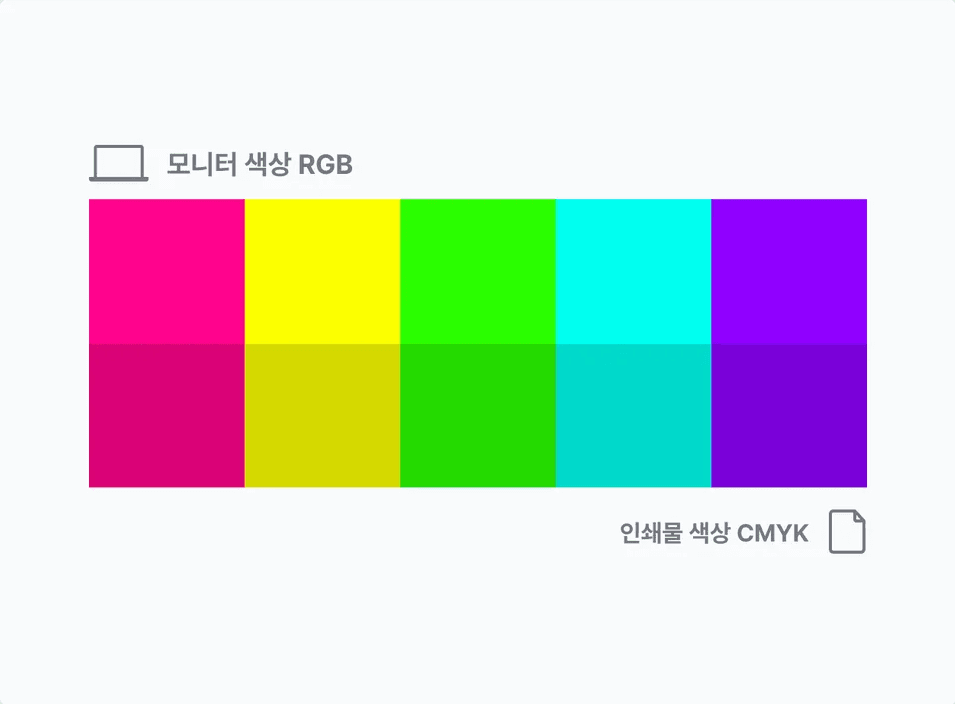
Unlike standard printed materials, packaging is usually produced in large quantities. If the colors are not checked properly before production begins, the colors on your monitor and the actual printed colors may differ, which can lead to unsatisfactory results, so please keep this in mind.
How to change color modes in Photoshop and Illustrator (RGB to CMYK, CMYK to RGB)
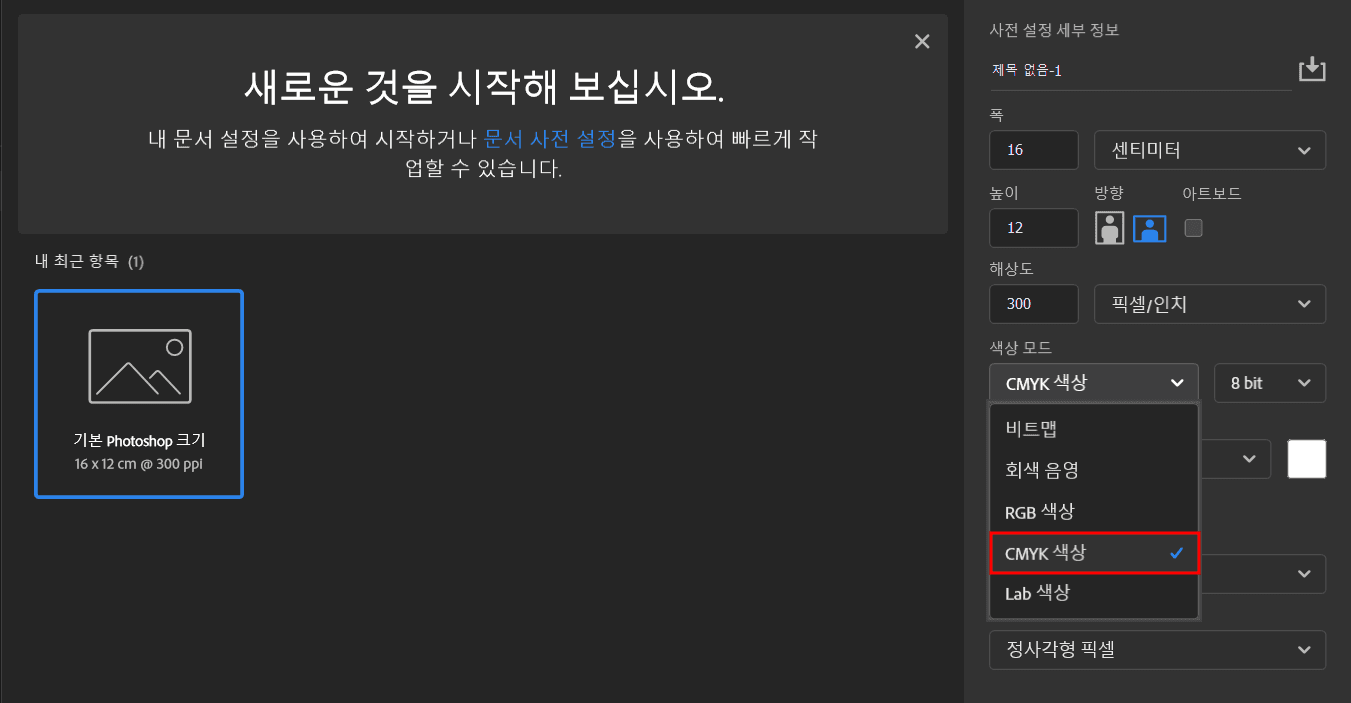
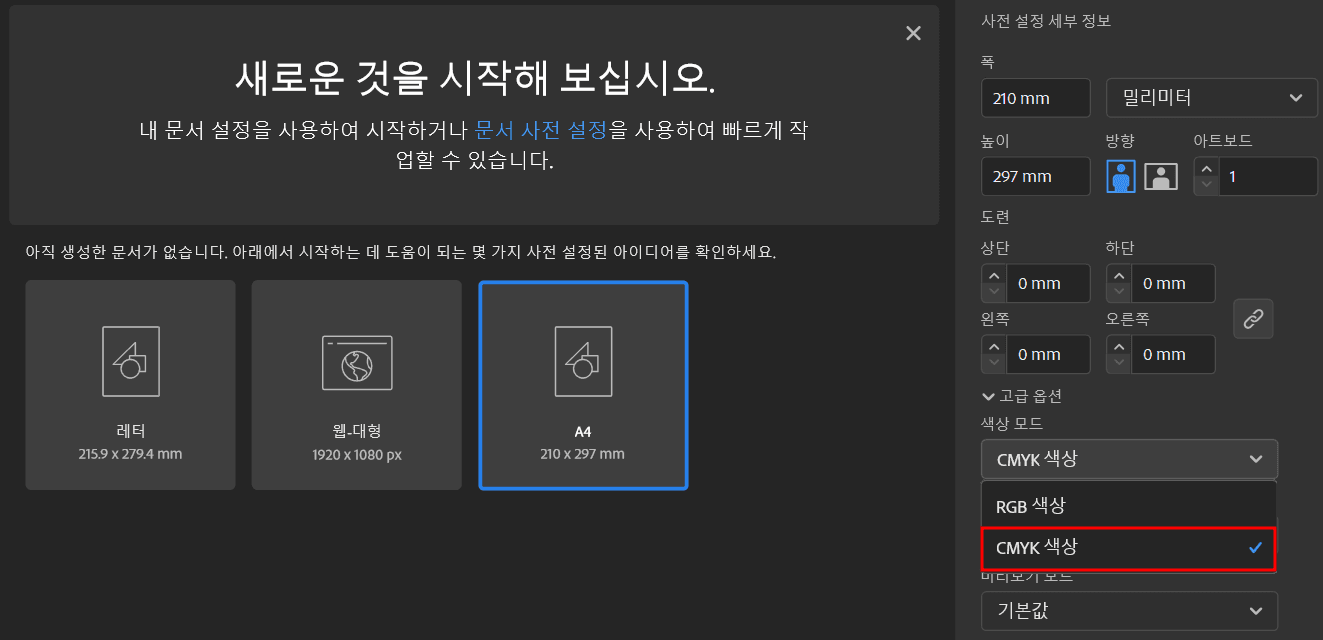
Please check the images below to see how to change color modes in Photoshop and Illustrator, the two tools most commonly used for design work.
In particular, Photoshop is set to RGB by default, so if you're working on print materials, you must change the color mode to CMYK!
If you're preparing to create packaging, please check the design precautions on the Packative website. By carefully reviewing the design stage, which is the first step in packaging production, you can achieve a satisfying final result. 💟
🔽Go directly to the Packative website🔽
Custom package 3D design & production, fast and easy! | Packative
🔽Request a quote for custom box production🔽
Real-time quote inquiry for custom box production | Packative