Top 5 Things to Check Before Ordering Box Production
1. Keep your package design simple! There are several meanings behind the idea of keeping packaging simple. First, it means avoiding excessive packaging, using only what is truly necessary to reduce unnecessary waste, and not making it too difficult for consumers to open the box. Today’s consumers are smart enough to be called ‘prosumers’...
1. Keep Your Package Design Simple!
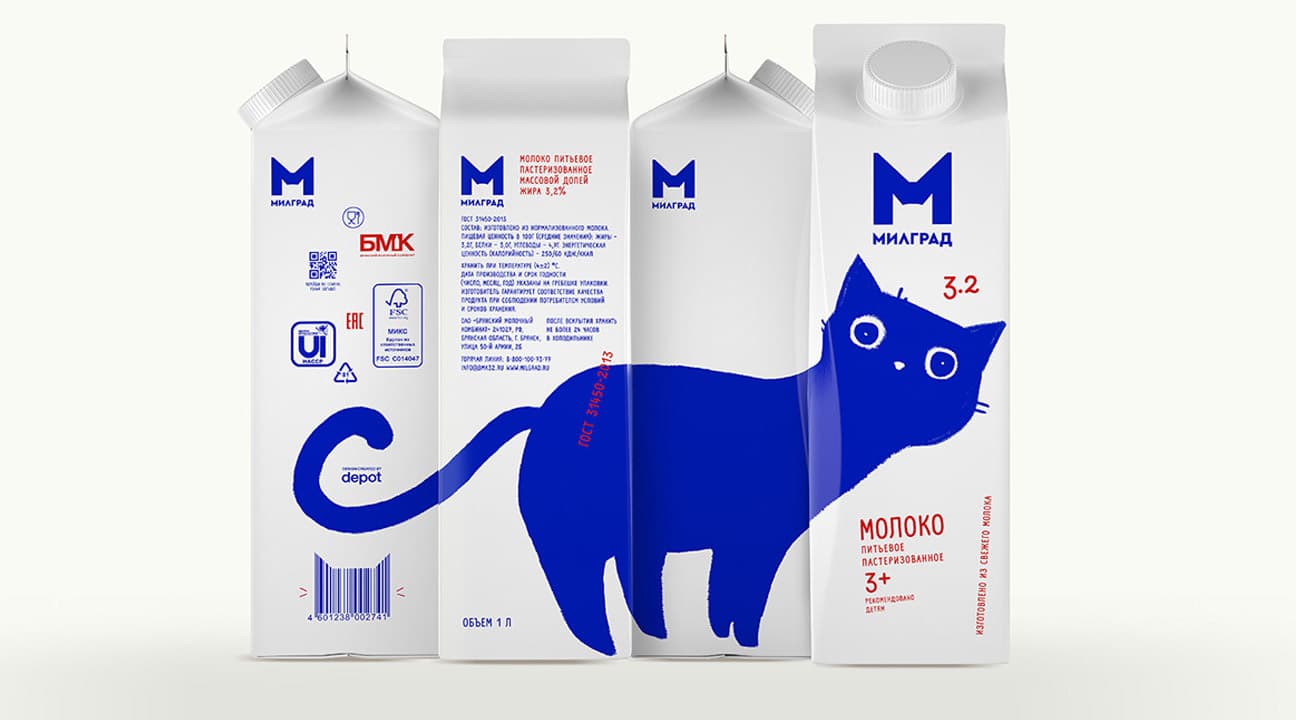
There are several meanings behind keeping packaging simple.
First, it means avoiding excessive packaging, using only what is truly necessary to reduce unnecessary waste, and not making it too difficult for consumers to open the box. Today’s consumers are smart enough to be called ‘prosumers,’ and they are also more open to eco-friendly thinking, so keep that in mind.
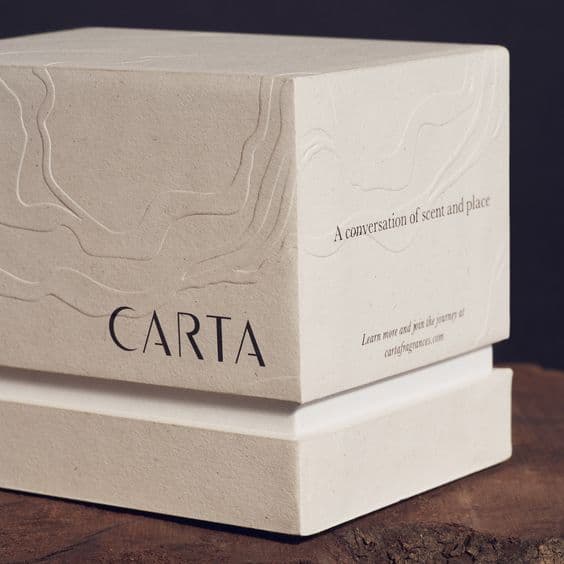
Second, it means keeping the design simple. Simplify the design elements so you can intuitively show what kind of product it is and what message your brand wants to convey, and capture consumers’ attention. Also, keep the display clean so your brand name, logo, and other key elements stand out clearly.
Learn more about simple design: Minimalist Product Packaging Design
2. Be Sure to Check for Graphic and Printing Errors!
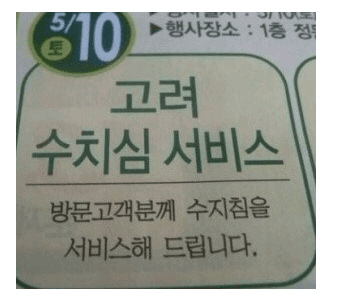
Typos don’t just leave a bad impression on the product; they can also make your brand seem careless. Small mistakes like these can create big doubts in consumers’ minds. They may even think not only the package and brand, but the product inside is a cheap item made without much effort.
You might think such small mistakes would never happen, but this is still one of the things you must check carefully!
3. Make Sure the Design Is Facing the Right Direction When the Package Is Folded!
In the packaging design process, it’s easy to assume every side runs in the same direction because the design is created on a flat dieline. But once the box is actually assembled, some sides may be flipped in the opposite direction, causing the image to appear reversed. It would be very frustrating if you carefully designed the logo and title, only to find that everything was printed upside down after production.
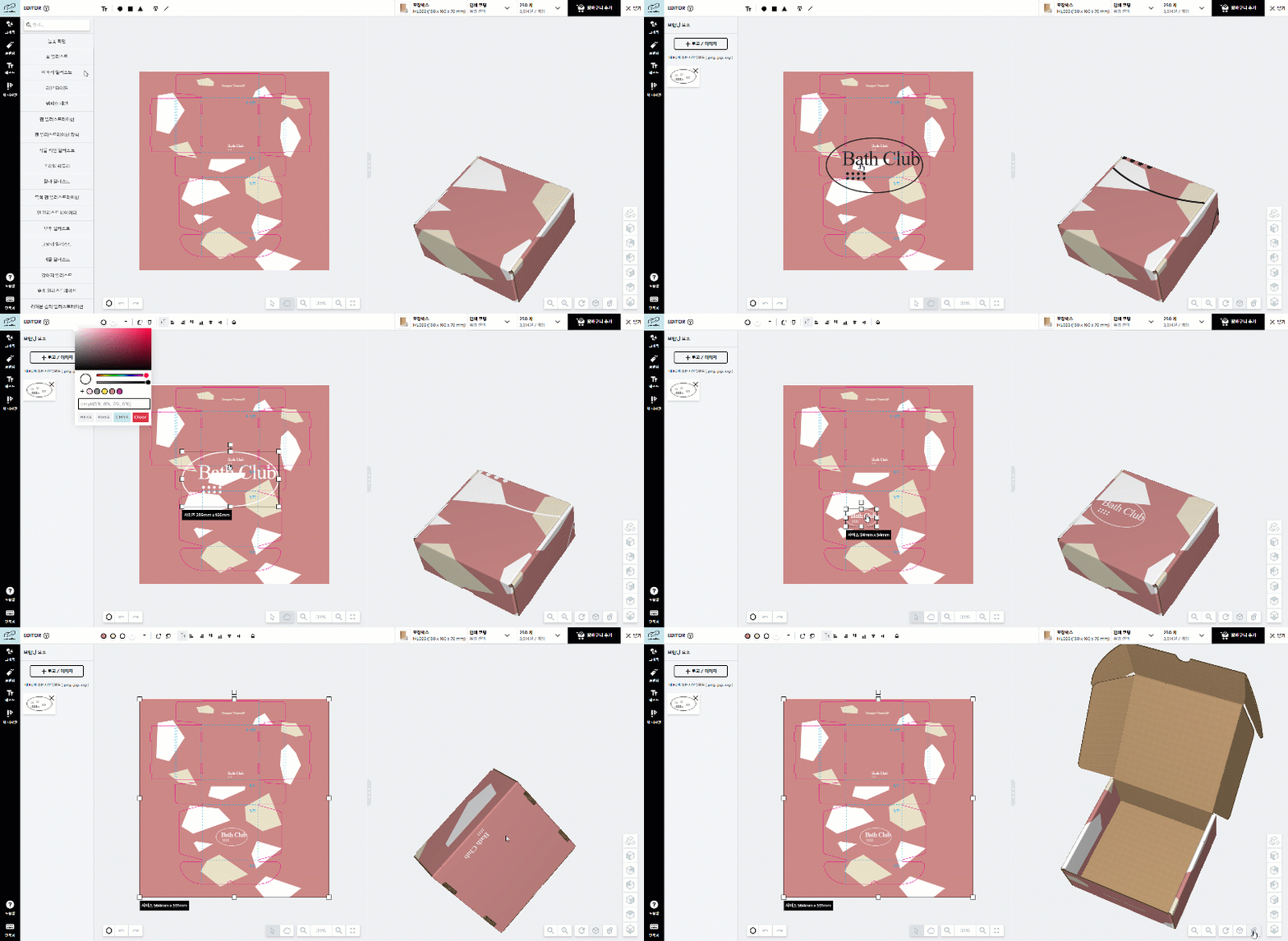 Check logo placement and design direction in the prepared design
Try designing packaging with Packative's free editor
You’ve drawn out the box design on the dieline, but you’re still unsure whether it’s oriented correctly? Don’t worry! By uploading your design image to the same box-size dieline in the Packative editor, you can check whether the design is facing the right way. Or, you can design directly in the Packative editor and check everything in real time, which is also a great option.
Shall we take a closer look at how to create a design preview using the Packative editor?
1. First, download the Packative dieline and design the box in Illustrator
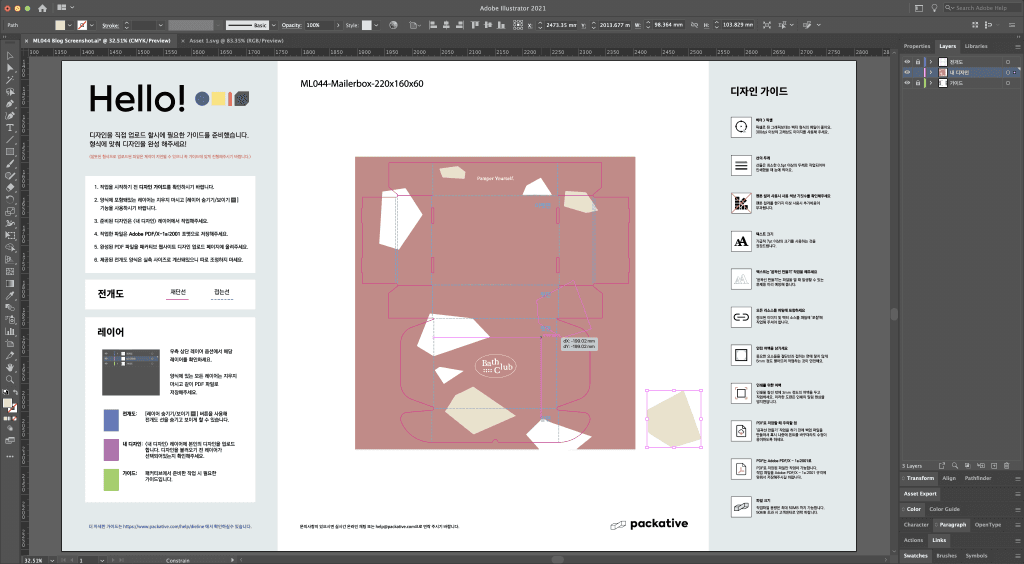
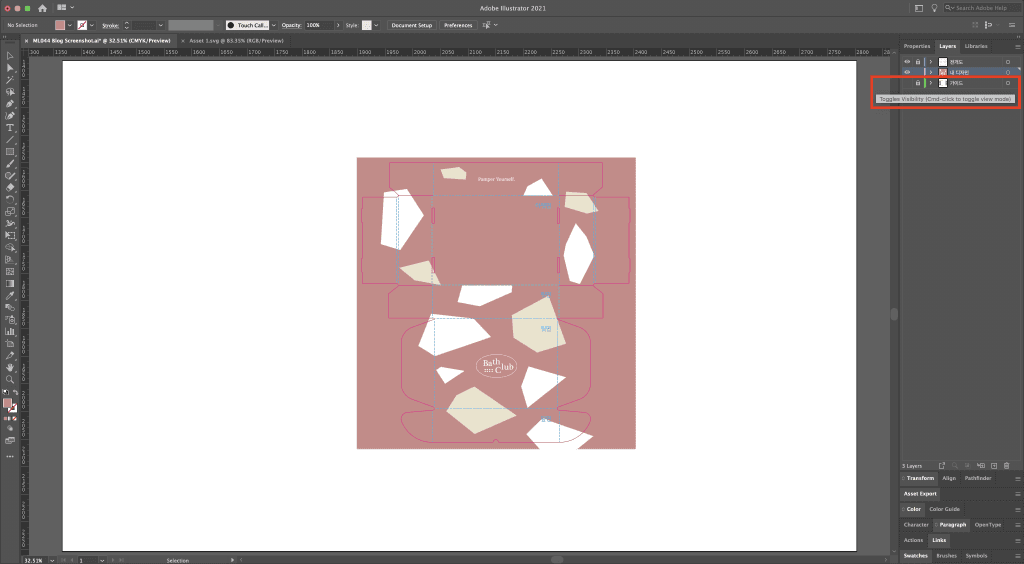
2. Then remove the guide from the view settings
3. Export the dieline and design, and export the file as SVG without using an artboard
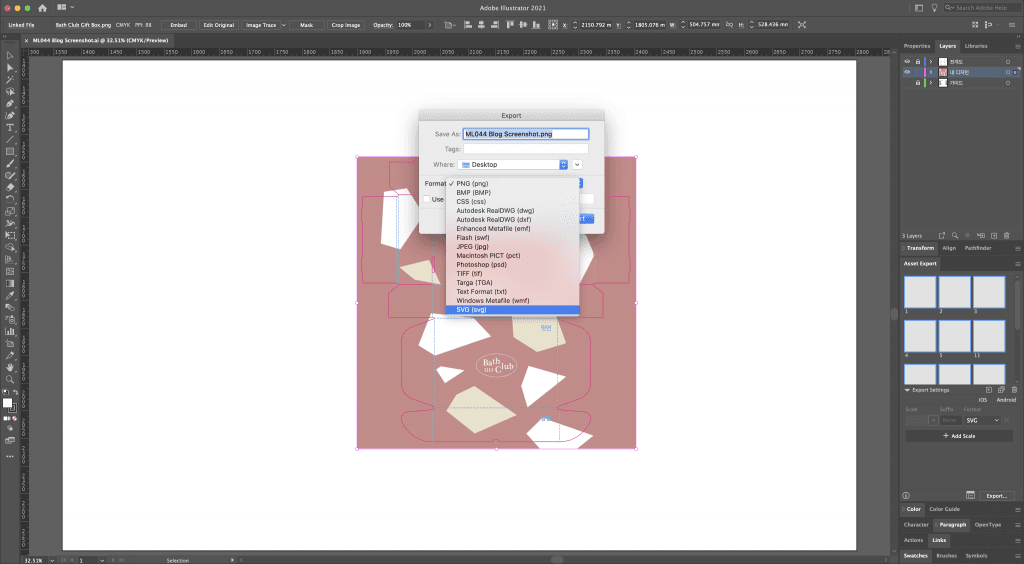
4. Fonts must be converted to outlines for the type to be preserved when saved!
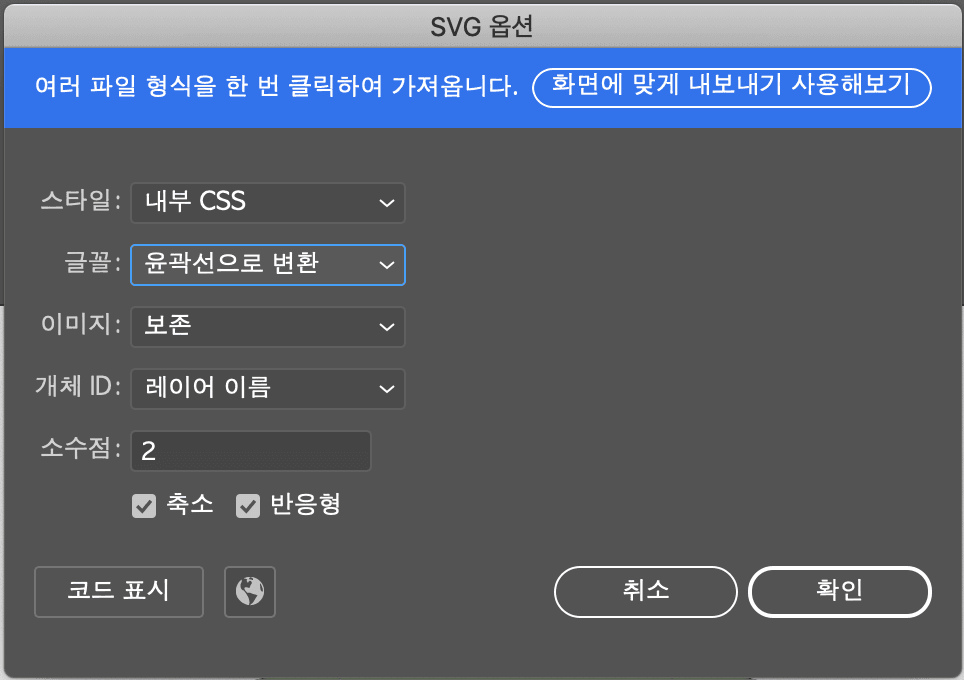
5. Add the design dieline SVG file in the Packative editor and align it to the center
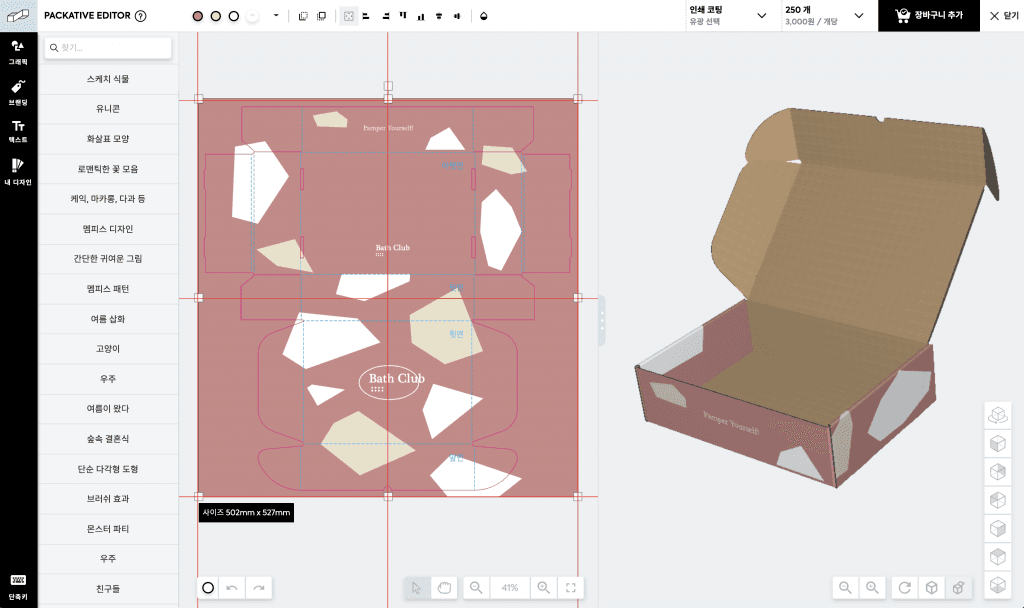
6. Once it’s placed, use the 3D preview to check whether the design direction is correct
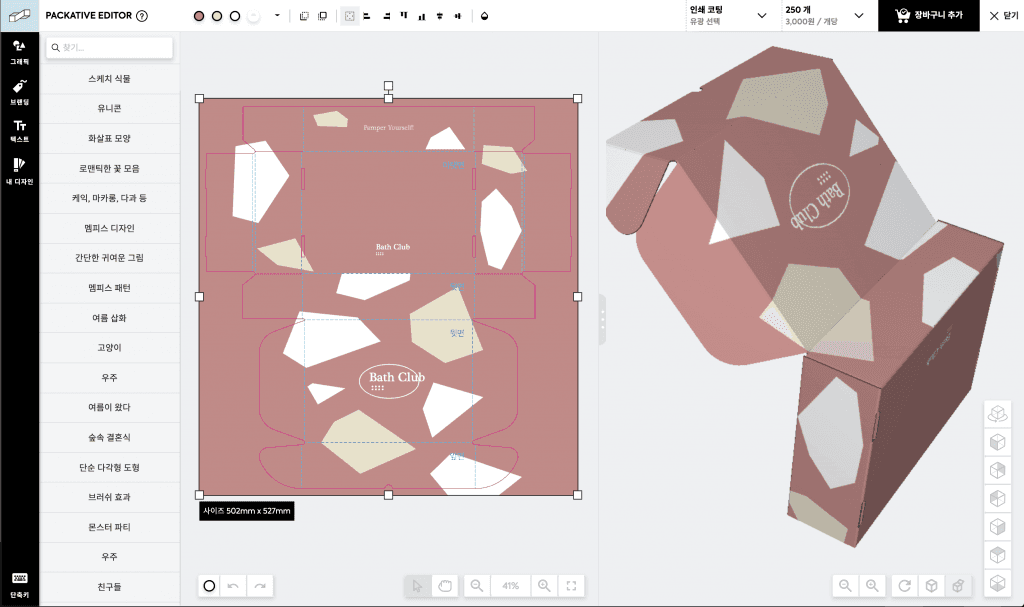
7. If there are any errors, reopen the AI file and make the necessary edits again!
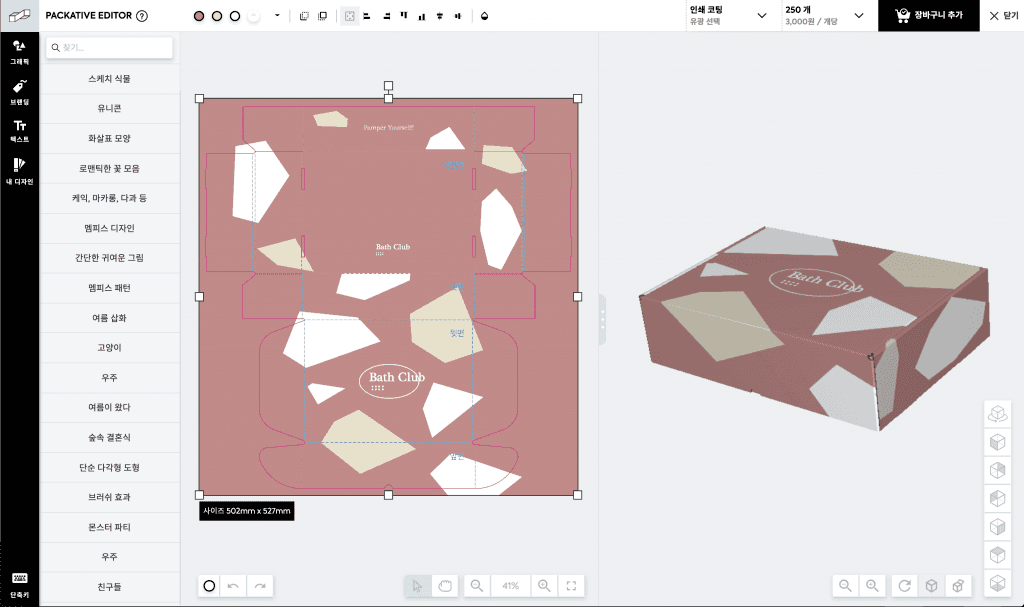
See how easy custom box production can be at Packative!
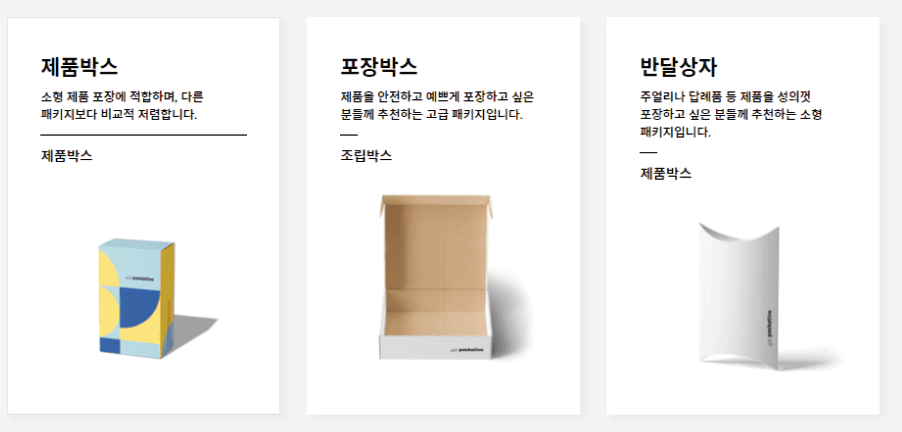
4. Choose the Right Box Type!
First, you need to choose a box that matches the design you have in mind. For example, if you want bold and vibrant colors, choose a product box that shows print colors clearly. If you want to create a minimalist mood, choose a matte-coated box.
Also, while packaging is important for expressing brand identity and appealing visually to consumers, above all it must safely protect the product. If you plan to ship the box as is and choose a product box, it may get damaged during delivery. On the other hand, if you are planning box production for retail shelf display but use a shipping box, it may look too rough and take up more space than necessary. That’s why, when producing packaging, you must always think about its use and purpose.
Check out different package types: Introducing Packative
5. Highlight Your Product’s Unique Selling Point (USP)!
It’s risky to take “keep packaging simple” and make the design too plain. If the package is too generic, it won’t stand out from competitors, which lowers the chance of being chosen. So when designing packaging, we recommend identifying the product’s differentiating point that you want to communicate to consumers and developing the design around that message.
Designing packaging on your own can be more challenging than you might think. But if you put in a little care and effort, it can become a great opportunity to leave a strong impression on customers! Why not create a package filled with your heart and ideas today with Packative?