Vector Images vs. Pixel Images: Why Your Packaging Design Should Be Created as a Vector File
Vector and pixel images differ in resolution, level of detail, and where they are best used. Whether you are a new designer, a professional designer, or someone at a company looking to hire a designer, it is important to understand these subtle differences before producing printed materials. Vector and pixel images each have their own strengths and weaknesses depending on the needs of each project.
Vector and pixel images differ in resolution, level of detail, and where they are best used. Whether you are a new designer, a professional designer, or someone at a company looking to hire a designer, it is important to understand these subtle differences before producing printed materials. Vector and pixel images each have their own strengths and weaknesses depending on the needs of each project.
Before deciding which type of image to use, you first need to understand your project. Here, we’ll look at the differences between vector and pixel images and share how to apply them to your project.
If you’re interested in packaging production, this is a must-read! Basic Guide to Product Box Design – Even Design Beginners Can Do It!
Pixel Images
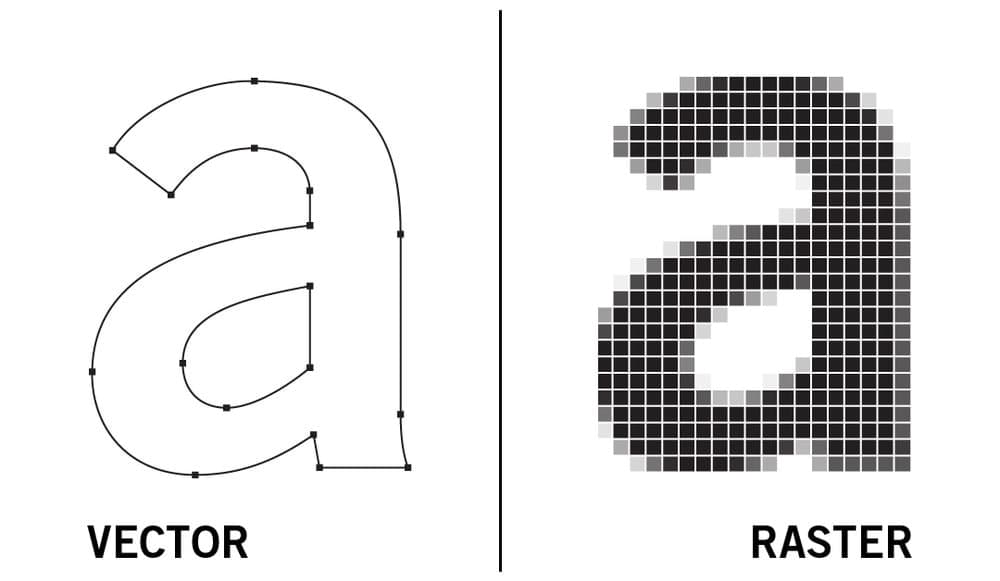
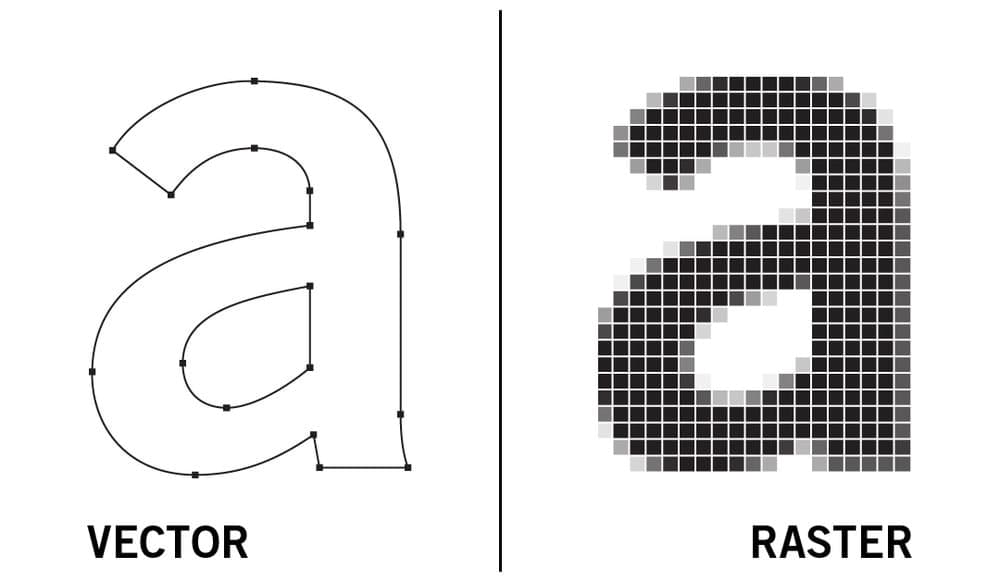
Pixel images are digital graphics made up of pixels arranged in a grid. Each pixel consists of red, green, and blue.
 Source: https://vimm.com/what-is-a-vector-image/
Pixel images are essentially collections of tiny mosaics. Up close, they look like squares, but from a distance, they form an image. The pixel grid is not visible, but when creating graphics in programs like Adobe Photoshop, you can add a grid to check it.
Pixel images include photos and videos. Since each pixel is already assigned to a specific space in the grid, they cannot be resized without losing resolution. When you enlarge an image, broken pixels become visible and the image looks low-resolution.
 Packative Editor warning message
In the Packative Editor, a warning message appears when you upload a low-resolution image. If you print it as is, the final print will not come out clearly.
Advantages of Pixel Images
Because they can store detailed color information, they are ideal for editing photos or capturing subtle gradients and shading in illustrations.
They allow for more detailed editing of graphic elements such as textures.
Disadvantages of Pixel Images
It is harder to separate specific parts of an image compared to vector files.
File sizes tend to be larger than vector formats.
They have limited scalability. For large-format printing, you need a high-capacity file with a dense pixel count.
They are not easy to adapt to project changes such as image resizing.
If you’re designing packaging, also check out: 5 Common Mistakes When Ordering Packaging Production
When to Use Pixel Images
Pixel graphics are the standard format for photos, videos, and web-based media. Due to the amount of detail they can capture, they are ideal for realistic images. On the other hand, their use for logos is limited, and if you do not have a high-resolution image, they are not suitable for printing.
Vector Images
Vector images are digital graphics made of mathematically calculated paths and can be enlarged infinitely. In essence, vectors can be stretched or bent as needed.
Because vectors involve mathematics, designers can create vector graphics quickly and easily using tools in programs like Adobe Illustrator. The computer handles the calculations in the background.
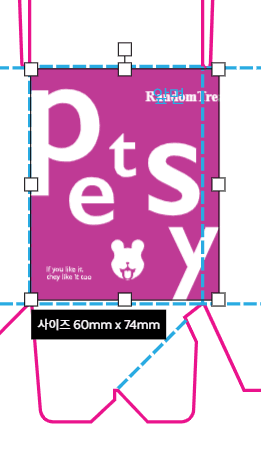 When using vector images in the Packative Editor
The key feature is that vector graphics have infinite scalability regardless of resolution. By adjusting the position of points, you can change the shape, and even when zoomed in very large, the image quality does not deteriorate.
Most of the images provided in the Packative Editor are vector images. Try using them for your packaging design! Give it a try!
Advantages of Vector Images
You can freely resize them without losing quality.
They can create clean lines and perfect curves.
They tend to have smaller file sizes than pixel images.
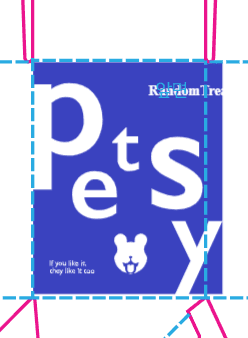 Uploaded vector images can have their colors changed in the Packative Editor.
Disadvantages of Vector Images
Vectors cannot display color gradients, textures, or shading, so they appear flatter.
Because vectors are mathematically calculated graphics, it is difficult to create hand-drawn-looking artwork.
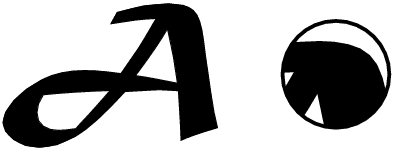 Source: gbworld.tistory.com/1086
When to Use Vector Images
They are ideal for print design because they are not affected by resolution. They are suitable for branding and logo design because they have infinite scalability and simple shapes that can be edited for a variety of situations.
They are also useful for creating animations because they are simple and easy to modify. Since vectors can easily be converted into pixel images, there are hardly any situations where vector graphics cannot be used.
If you’re struggling with packaging production, be sure to read: 5 Essential Rules of Packaging Design (Must Read When Producing Packaging Boxes!)